WORDPRESS MAINTENANCE
Keep your website running smoothly whilst you focus on growing your business.
£99 per month • Everything included • UK-based support
£99 per month
Rolling monthly contract
UK based team
Complete peace of mind

Why Regular WordPress Updates Matter
WordPress releases updates to fix security issues, patch bugs, and add new features. When you skip these updates, your site becomes vulnerable to problems that could have been prevented.
When WordPress or plugin developers discover security issues, they release fixes quickly. Hackers actively scan for sites running outdated software with known security holes.
A single unpatched vulnerability can give attackers access to your entire site.
Updates also fix bugs that cause errors, improve compatibility between plugins and themes, and include performance improvements.
The longer you wait to update, the more complex the process becomes and the higher the risk of conflicts.
The Risk of Skipping Updates
Outdated WordPress sites attract hackers who specifically target known security vulnerabilities. Plugin conflicts then become more common as some components update while others don’t.
Your site may load more slowly, display errors, or become incompatible with your hosting environment.
These issues damage your business by reducing customer trust, harming your search rankings, and potentially exposing customer data if a security breach occurs.
What’s Included in Our WordPress Update Service
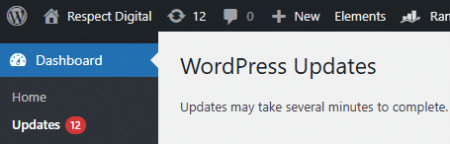
We handle every type of WordPress update your site needs: WordPress core software, all installed plugins, and your active theme.
After applying updates, we test your site to confirm everything works correctly. If problems occur during testing, we can quickly roll back to the previous version.
For sites with complex plugin configurations, we can test updates on a staging copy before applying them to your live site.
Our Monthly Update Schedule
We update your site monthly, so updates never pile up into a massive, risky batch. Security updates receive priority treatment.
If WordPress or a plugin releases an important security patch between scheduled updates, we apply it promptly.
After each update we make sure your site works properly.
Why Business Owners Choose This Service
You’re Too Busy
Running a small business means juggling dozens of responsibilities.
Website maintenance falls to the bottom of your to-do list, but WordPress doesn’t wait for convenient times to release security updates.
Our service removes this task from your plate entirely.
You’re Worried About Breaking Your Site
Updates can occasionally cause conflicts, especially on sites with many plugins.
We handle the technical risk. Our backup-first approach means your site can be restored within minutes if something goes wrong.
You Have Many Plugins
Sites using multiple plugins face higher update complexity.
Each plugin update can potentially conflict with others.
Complex sites need expert attention, and we understand how different plugins interact.
Part of Your Maintenance Package
WordPress updates form one component of our monthly maintenance service. Rather than paying separately for updates, backups, security monitoring, and other tasks, you receive everything as an integrated package.
This approach works better because all aspects of site maintenance work together.
Regular updates reduce security risks, and reliable backups protect your site whether issues come from updates, hosting problems, or other causes. Monthly packages provide better value and a predictable cost.

What’s Not Included
Our update service focuses on keeping your WordPress installation, plugins, and themes current.
This doesn’t include custom development work, major site redesigns, structural changes, or new page templates. Content changes like writing blog posts or updating service descriptions are separate from the technical update process.
Why Choose Respect Experts
We’ve been handling WordPress for 10+ years. Real hands on experience of keeping websites online and working properly.
We’re based in the UK and explain everything in plain English
No technical jargon unless you ask for it
We treat you like a business owner, not a technical expert
Good maintenance prevents problems before they occur
We catch issues early and fix them before they affect your site
We’re transparent about what we do and don’t include
What You Get from Professional Maintenance
Your website stays secure and up to date
Security vulnerabilities are patched before hackers can exploit them
Your site runs smoothly with fewer technical problems
You save time. Instead of worrying about updates and backups, you focus on your business. Technical website management is handled by someone who knows what they’re doing.

Keeping your website updated will help to maintain it’s security against hackers and compatibility between other plugins.
You will also benefit from any improvements as the plugins enhance their functionality.
Get Protected with WordPress Maintenance
WordPress updates are included in our £99 per month maintenance service. This flat fee covers monthly updates, daily monitoring, routine backups and error fixes when they occur.
Sign up for WordPress maintenance today and get monthly plugin updates included. Your site will be properly maintained, regularly backed up, constantly monitored and quickly repaired if problems occur.
Book a FREE consultation
Ready to Get Started?
Book a free consultation to discuss your requirements.
Frequently Asked Questions
WordPress should be updated as soon as new versions become available, which typically means monthly for minor updates and every few months for major releases.
Security updates should be applied immediately. Our monthly update service ensures your site stays current without you needing to monitor release schedules. We handle routine updates on a predictable monthly basis and apply urgent security patches between scheduled updates if necessary.
This regular schedule prevents updates from accumulating into a large, complex batch that increases the risk of conflicts.
Updates can occasionally cause conflicts, particularly if your site uses many plugins or custom code. However, the risk of problems is much lower when you follow proper update procedures.
We test your site afterwards, and can roll back changes within minutes if issues occur. The bigger risk is not updating, which leaves your site vulnerable to security breaches and compatibility problems. With over 10 years of experience managing WordPress sites, we know how to minimise update risks.
If an update causes problems, we immediately roll back your site to the previous version using the backup taken before the update. Your site returns to its working state.
We then investigate the issue, identify which component caused the conflict, and determine how to apply the update safely. This might involve updating plugins in a different order, temporarily disabling conflicting plugins, or testing on a staging site first. You’ll never be left with a broken site.
Yes, plugins require separate updates from WordPress core. Each plugin developer releases updates independently.
Our service handles both WordPress core updates and all plugin updates. We update plugins alongside your WordPress installation to ensure everything remains compatible. Plugin updates are just as important as core updates because outdated plugins are a common entry point for security breaches.
While we can accommodate specific requirements, we generally recommend updating all plugins to their latest versions. Keeping some plugins outdated while updating others increases the risk of compatibility conflicts.
If you have concerns about a particular plugin update, we can test it on a staging copy of your site first. However, leaving plugins deliberately outdated creates security vulnerabilities that put your entire site at risk.
Note: We will only update a plugin once the developer has stated it is 100% compatible with your version of WordPress.
Most WordPress updates complete within 30 minutes, including applying updates and testing. Complex sites with many plugins may take longer.
The process happens on our scheduled maintenance day each month, typically during low-traffic hours. You won’t need to be available during the update process, and your site remains accessible to visitors throughout.
Your site remains accessible to visitors during most of the update process. WordPress briefly enters maintenance mode while applying core updates, usually for just a few seconds. Plugin and theme updates happen in the background without affecting site availability. If we need to test updates on your live site or perform more extensive work, we schedule this during your quietest traffic periods.
WordPress core updates change the fundamental WordPress software that runs your site. These updates affect features like the admin dashboard, content editor, and core functionality.
Plugin updates change only the specific plugin being updated. Both types are important: core updates maintain WordPress security and functionality, while plugin updates ensure your added features work correctly and remain secure. Both must be kept current.
Theme updates are similar to plugin updates but affect your site’s appearance and layout rather than functionality. Theme updates can include security patches, bug fixes, and compatibility improvements.
If you use a child theme, updates to the parent theme won’t affect your customisations. We update both your active theme and any installed themes to prevent security vulnerabilities. After theme updates, we check that your site’s appearance displays correctly.
Different plugins have different update schedules based on their complexity, security requirements, and development activity. Popular plugins used by millions of sites receive frequent updates because their developers actively patch security issues and add features.
Simple plugins might update only occasionally if they’re stable and don’t interact with many other components. Security plugins and plugins that connect to external services typically update most frequently.
We can update WordPress on any standard hosting environment that supports WordPress installation. This includes shared hosting, VPS, dedicated servers, and most managed WordPress hosts.
Some managed WordPress hosts automatically apply certain updates, which we coordinate with to avoid duplication. We cannot update WordPress installations on hosts that restrict file system access or require special deployment procedures. We’ll verify compatibility during your consultation.
We need admin-level access to your WordPress dashboard to perform updates and fixes.
This would preferably be a dedicated user account created specifically for our service. We also need access to your hosting account or the ability to create our own backups if your hosting doesn’t provide suitable backup tools. During your consultation, we’ll explain exactly what access we require and how we secure these credentials. Most sites can begin receiving our update service within 7 days.