In Brief
SSL encrypts data between your website and visitors, protecting information like contact details and passwords
Without SSL, browsers display “Not Secure” warnings that drive visitors away from your site
Google uses HTTPS as a ranking factor, giving your WordPress site a small SEO advantage
Most UK hosting providers include free SSL certificates, often through Let’s Encrypt
Domain Validated (DV) certificates are suitable for most small business WordPress sites
You’ve probably noticed the padlock icon in your browser’s address bar when visiting websites. Maybe you’ve seen “Not Secure” warnings appear on some sites, or heard that your WordPress website needs something called SSL.
But what is SSL, and why does it matter for your business?
Many small business owners put off dealing with SSL because it sounds technical and expensive. Neither is true. Understanding SSL takes just a few minutes, and you can probably set it up for free through your existing hosting provider.
This guide explains SSL in straightforward terms, covering what it does for your WordPress site and how to get it working.
By the end, you’ll know exactly what SSL means for your business and what steps to take next.
Table of Contents
What Does SSL Actually Do?
SSL stands for Secure Sockets Layer.
In practical terms, it protects information travelling between your website and the people visiting it. When someone fills in a contact form, logs into an account, or makes a purchase on your site, SSL keeps that information private.
Encryption Explained Simply
Think of sending information over the internet like posting a letter. Without SSL, it’s like sending a postcard that anyone handling it could read. With SSL, it’s more like putting your letter in a locked box that only the intended recipient can open.
When a visitor submits a form on your WordPress site, SSL scrambles that data into unreadable code. Only your website can unscramble it at the other end. This protects passwords, email addresses, phone numbers, and any other personal information your visitors share with you.
The Padlock and HTTPS
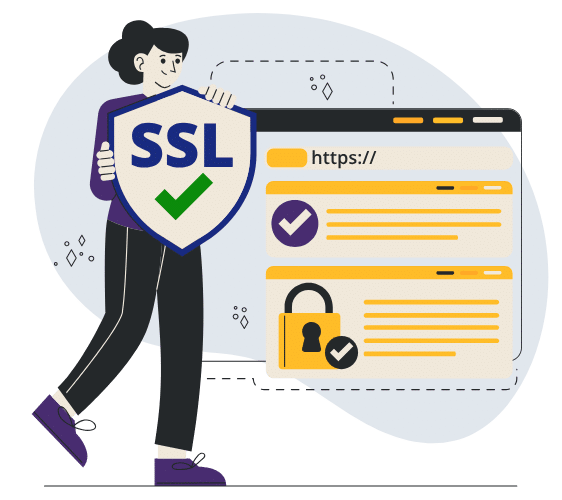
The most visible sign that a website has SSL is the padlock icon in your browser’s address bar. The website address also changes from http:// to https:// (the ‘s’ stands for secure).
Without SSL, modern browsers display a “Not Secure” warning instead of the padlock. This warning appears right next to your website address, making it impossible for visitors to miss.
Why Your WordPress Site Needs an SSL Certificate
Every WordPress website benefits from having SSL, regardless of whether you sell products online. Here’s why it matters for your business.
Browser Warnings Drive Visitors Away
Chrome, Firefox, Safari, and other browsers all display “Not Secure” warnings for websites without SSL. When someone lands on your site and sees this warning, they often leave immediately without reading your content or making an enquiry.
This is particularly damaging if you have contact forms on your website. Visitors see “Not Secure” and wonder whether their email address or phone number will be safe. Even if your site is perfectly legitimate, that warning creates doubt.
Research from 123-Reg found that 84% of customers abandon shopping baskets on sites without SSL.
Google Prefers Secure Websites
Google confirmed back in 2014 that HTTPS is a ranking factor in their search algorithm. SSL alone won’t push your website to the top of search results, but it’s an easy win that contributes to your overall SEO efforts.
Between two otherwise similar websites, the secure one will rank higher. When you’re a small business competing for local customers, every advantage counts.
Building Trust with Customers
Your business reputation matters, and your website is often the first impression potential customers have of you. A professional, secure website signals that you take your business seriously and care about protecting the people who visit.
If you collect any personal information through your website, SSL also helps with UK GDPR compliance. The regulation requires businesses to implement appropriate security measures when handling personal data. SSL is one of those measures.
SSL vs TLS: What’s the Difference?
You might occasionally see references to TLS instead of SSL.
TLS stands for Transport Layer Security, and it’s actually what modern “SSL certificates” use. The original SSL protocol was developed by Netscape in the 1990s.
TLS replaced it with improved security, but the name SSL stuck because everyone was already familiar with it.
When people talk about SSL certificates today, they’re technically talking about TLS certificates.
Don’t worry about the distinction though. Your certificate handles everything automatically, and the terms are used interchangeably throughout the industry.
Types of SSL Certificate
SSL certificates come in different validation levels. This affects how thoroughly the certificate authority checks your identity before issuing the certificate.
Domain Validated (DV) Certificates
Domain Validated certificates are the most common type and often the most affordable. Many are completely free through services like Let’s Encrypt.
The certificate authority simply verifies that you own the domain name, then issues the certificate.
DV certificates provide exactly the same encryption as more expensive options. For most WordPress websites run by sole traders and small businesses, a DV certificate is all you need.
You get the padlock, the HTTPS, and the protection for your visitors.
When You Might Need More
Organisation Validated (OV) certificates verify your business identity as well as domain ownership.
Extended Validation (EV) certificates involve even more rigorous checks.
These were once associated with the green address bar in browsers, though most browsers no longer display this differently.
If you’re taking payments through your website using PayPal, Stripe, or similar services, a basic DV certificate is perfectly suitable.
The payment processing happens on their secure servers, not yours. You’d only need higher validation levels for specific industry requirements or if you’re processing sensitive financial data directly on your own server.

Let’s Encrypt Explained
You’ll see Let’s Encrypt mentioned frequently when looking into SSL certificates. It’s worth understanding what it is and why it’s become so popular.
What is Let’s Encrypt?
Let’s Encrypt is a non-profit certificate authority that provides free SSL certificates. It launched in 2016 with backing from major technology companies including Mozilla, Google, Facebook, and Cisco. The goal was simple: make encryption available to everyone, regardless of budget.
Before Let’s Encrypt existed, SSL certificates cost money and required annual renewals.
This meant many small business websites went without protection because owners either couldn’t afford the certificates or didn’t want the hassle of managing them. Let’s Encrypt removed both barriers.
Why It’s Trustworthy
Some business owners worry that free means inferior. With Let’s Encrypt, that’s not the case.
The encryption provided by a Let’s Encrypt certificate is identical to paid alternatives. Every major browser trusts Let’s Encrypt certificates, and millions of websites worldwide use them, including many large organisations.
The non-profit is sponsored by companies with a genuine interest in making the internet more secure. It’s not a budget option that cuts corners. It’s a legitimate service designed to make SSL accessible to everyone.
How It Works
Let’s Encrypt certificates are Domain Validated, meaning they confirm you own your domain but don’t verify your business identity. For most websites, this level of validation is perfectly adequate.
The certificates expire every 90 days but most hosting providers handle renewal automatically in the background. You set it up once and don’t need to think about it again. If your host doesn’t support automatic renewal, plugins like Really Simple Security can help manage the process for WordPress sites.
Learn more: https://letsencrypt.org/how-it-works/
How to Get SSL for Your WordPress Site
Setting up SSL is probably easier and cheaper than you expect. Here’s how to approach it.
Check Your Hosting Provider First
Most hosting companies now include free SSL certificates with their hosting packages.
Check your hosting control panel or dashboard for SSL options. Many providers use Let’s Encrypt certificates, which are trusted by all major browsers and completely free.
Some hosting providers activate SSL automatically when you set up a new website. Others require you to click a button to enable it. Either way, your host should have documentation explaining the process, or their support team can help.
Installing SSL on WordPress
Once your SSL certificate is active on your hosting account, you need to tell WordPress to use it. In your WordPress admin area, go to Settings > General. Change both the WordPress Address and Site Address from http:// to https://.
If you’ve had your website running without SSL for a while, you might have old links throughout your content that still use http://. Plugins like Really Simple Security can update these automatically and handle the technical redirects for you.
What If Something Goes Wrong?
The most common issues when setting up SSL are redirect loops (where the page keeps refreshing) and mixed content warnings (where some elements on the page load over HTTP instead of HTTPS).
Both are fixable.
Your hosting provider’s support team can usually help resolve these problems. If you’re not comfortable handling technical issues yourself, consider getting help from a WordPress specialist. A few pounds spent on expert assistance is better than a broken website.
Next Steps
SSL protects your visitors and your reputation. It’s expected on all websites now, not just those selling products online.
The browser warnings for unsecure sites are only getting more prominent, making this something every small business website needs to address.
The good news is that most UK hosting providers include free SSL certificates, and the setup process is straightforward. If you’re managing your own WordPress site, check your hosting account today to see what SSL options are available.
If you’d prefer someone else to handle the technical side, a WordPress maintenance provider can take care of it as part of their ongoing support.
Frequently Asked Questions
Many SSL certificates are free, particularly Domain Validated certificates through Let’s Encrypt. Most hosting providers include free SSL with their hosting packages. If your host charges extra, it’s worth shopping around, as this has become a standard inclusion. Paid certificates with higher validation levels can cost anywhere from £50 to £250 per year, but most small businesses won’t need these.
No, modern SSL has minimal impact on website speed. In fact, SSL is required for HTTP/2, a newer web protocol that can actually make your site load faster. Any performance difference is negligible, and the security and SEO benefits far outweigh any theoretical slowdown. Your visitors won’t notice any difference in loading times.
Let’s Encrypt certificates expire after 90 days, but most hosting providers renew them automatically. You shouldn’t need to do anything manually. Paid certificates last one year before needing renewal. Check your hosting account or certificate provider to confirm automatic renewal is enabled so your site doesn’t suddenly show security warnings.
Yes, you still need SSL even if you don’t sell anything online. If you have a contact form, newsletter signup, or login area, visitors are entering personal information that should be protected. Beyond that, the browser warnings and SEO implications affect every website. There’s really no good reason not to have SSL on any modern website.
SSL (and its successor TLS) is the technology that encrypts data. HTTPS is what your website address looks like when that encryption is active. When you install an SSL certificate, your site changes from http://yoursite.co.uk to https://yoursite.co.uk. The two terms are closely related, but SSL is the security certificate while HTTPS is the resulting secure connection.
If your certificate expires, browsers will display prominent security warnings that may completely block visitors from accessing your site. Most people won’t proceed past these warnings, so your website effectively becomes unusable. This is why automatic renewal matters. Check your hosting account to ensure renewal is set up and working correctly.
Mixed content occurs when your HTTPS page loads some elements (like images or scripts) over unsecure HTTP. Browsers may warn visitors or block these elements entirely. The fix involves updating all references in your content and settings to use https:// instead of http://. Plugins like Really Simple Security can detect and often fix these issues automatically.
For encryption purposes, yes. Free Let’s Encrypt certificates use the same strong encryption as paid certificates. The main differences with paid certificates are higher validation levels (verifying your business identity, not just domain ownership), warranty coverage, and sometimes customer support. Most small business websites work perfectly well with free certificates.
Visit your website and look at the address bar in your browser. If you see a padlock icon and the address starts with https://, SSL is already working. If you see “Not Secure” or the address starts with http://, you need to set up SSL. You can also try typing https://yoursite.co.uk directly and see if it loads without errors.